
Can I use iMessage with my eSIM?
Yes, you can use iMessage with your eSIM line.
Please note that you may need to reset iMessage after installing your eSIM. You can perform this process by following the steps below:
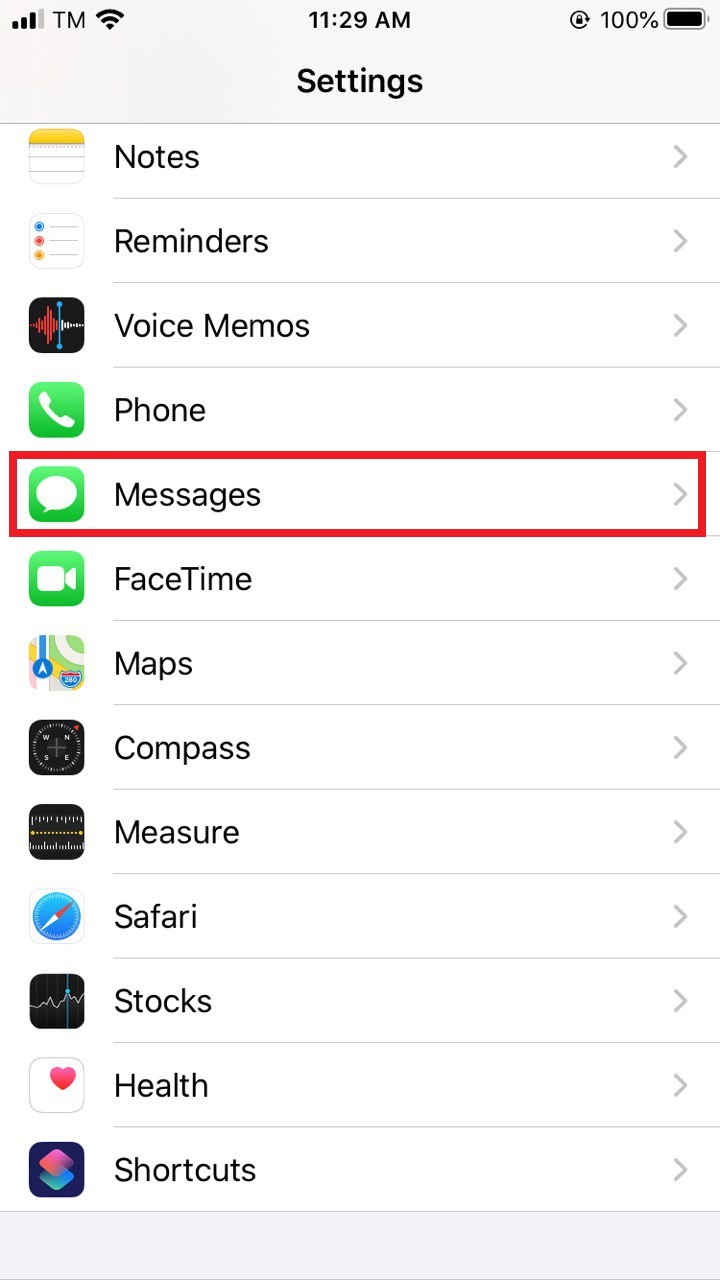
1. Go to Settings on your device.
2. Enter the Messages tab.
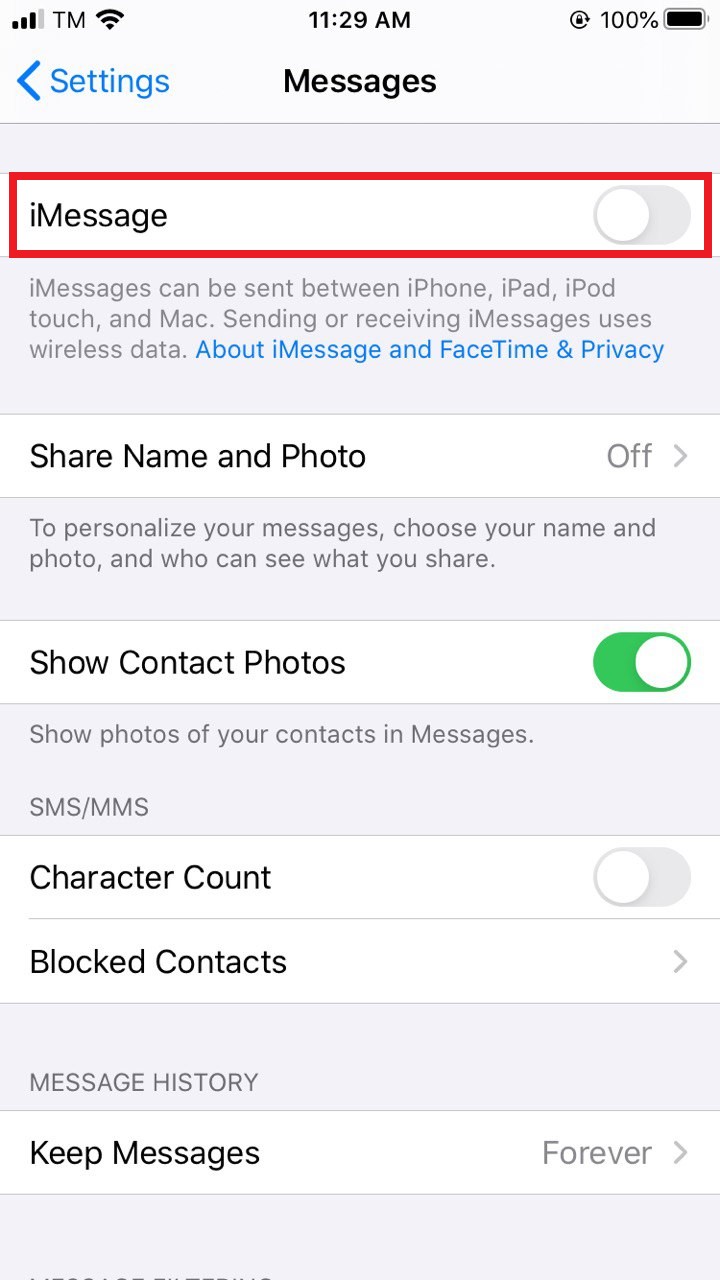
3. Toggle the iMessage feature to the OFF position.
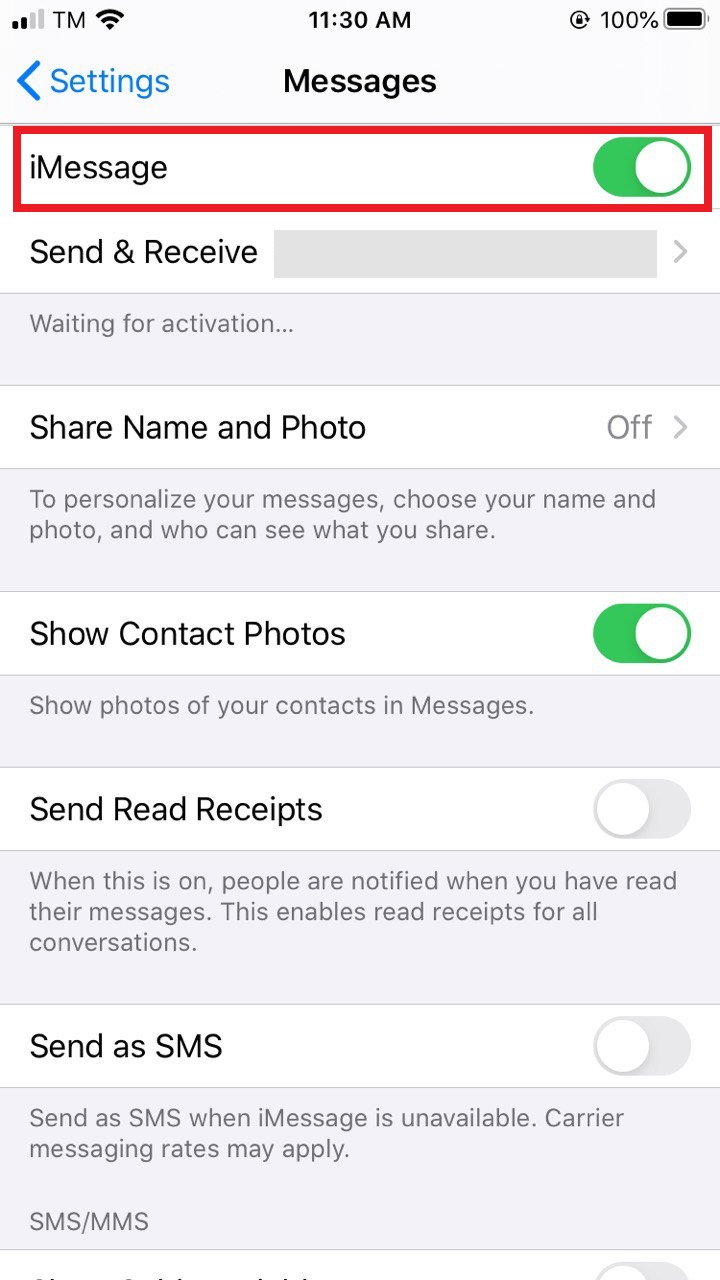
4. Toggle the iMessage feature back to the ON position.
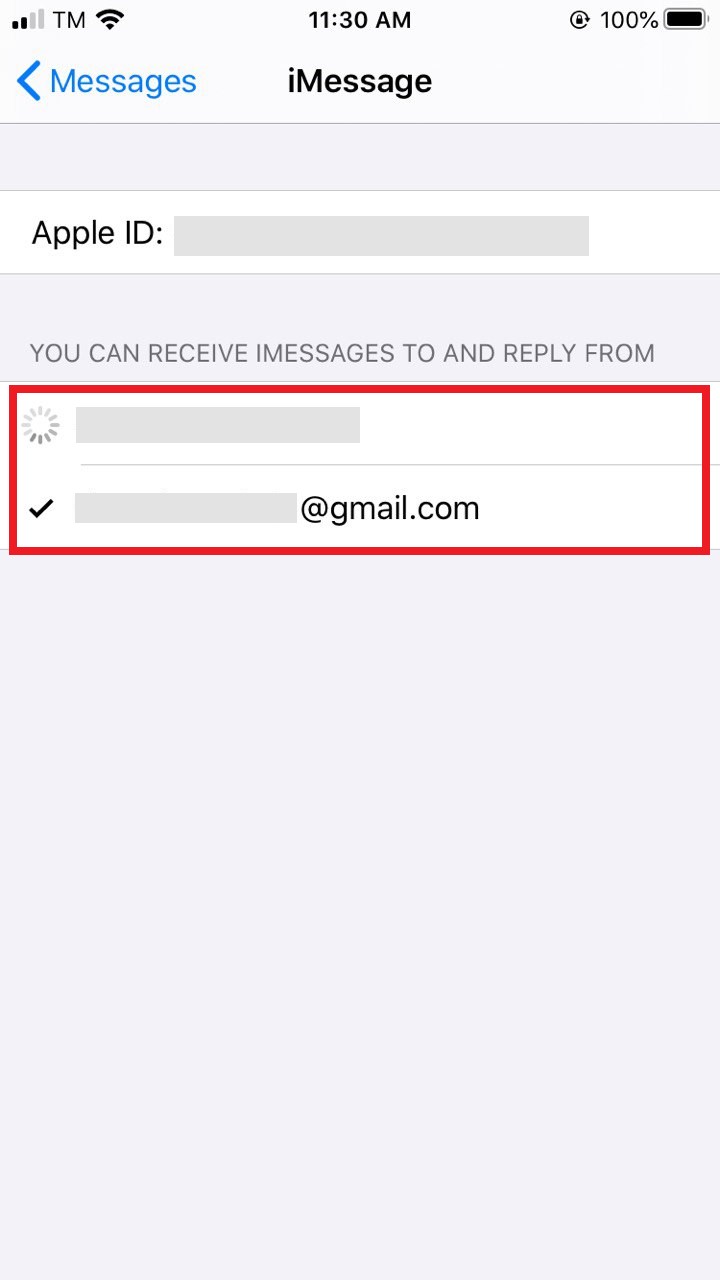
5. Tap on Send & Receive.
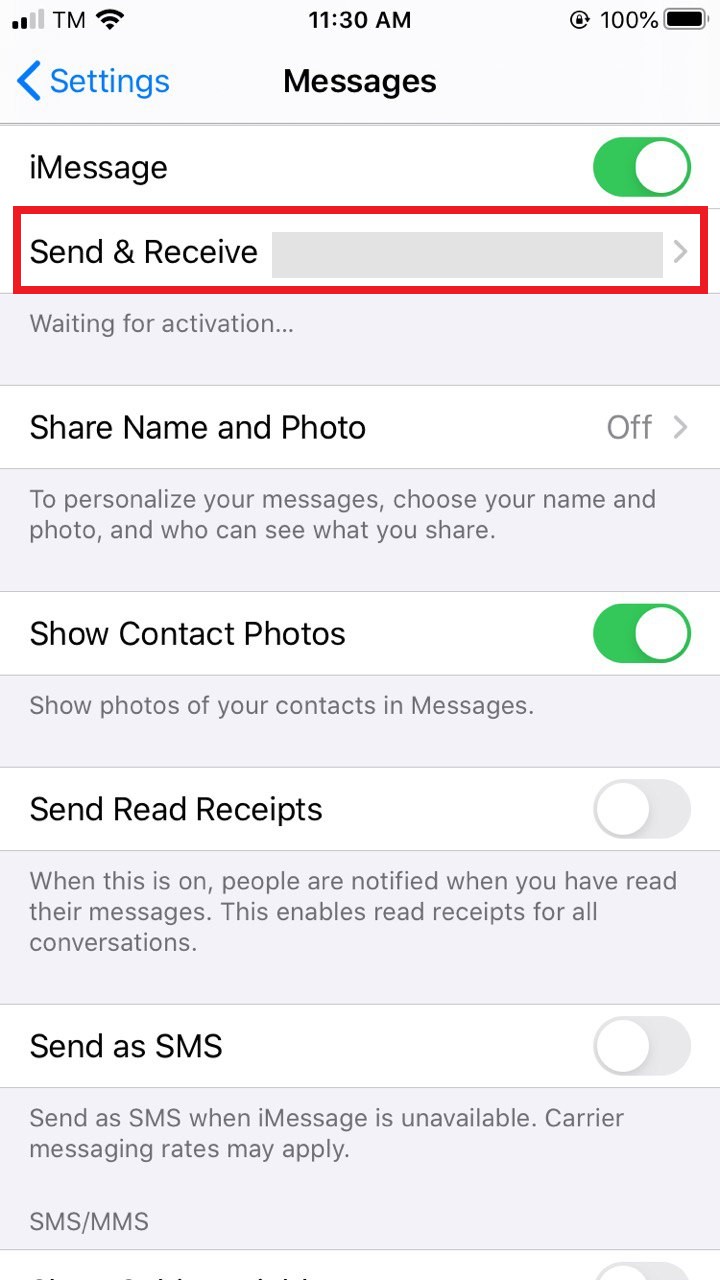
6. Uncheck your number and ensure your email address is checked. In this way, you will be able to send and receive iMessages only with a data connection.
Once your eSIM usage is over and you want to return to your Primary SIM card, you can perform the same settings for your main line.
If you need further assistance or have different questions regarding your connection, you can contact our eSIMfo support team. We are always ready to help you!