
How Can I Check If My Android Device Supports eSIM?
Whether a device is eSIM compatible depends on whether the manufacturer has included eSIM hardware in the device. However, in some cases, even if the device is listed as compatible in technical specifications, it may not support the technology due to carrier restrictions or regional variations.
Important Note: Since Android is an open-source system, manufacturers and carriers can customize the software. Some models sold in certain countries may have the eSIM feature disabled, or the carrier you purchased the device from may not have activated this feature.
Follow the steps below to verify eSIM support on your Android device. Please remember: the most accurate information always comes from your device manufacturer or carrier.
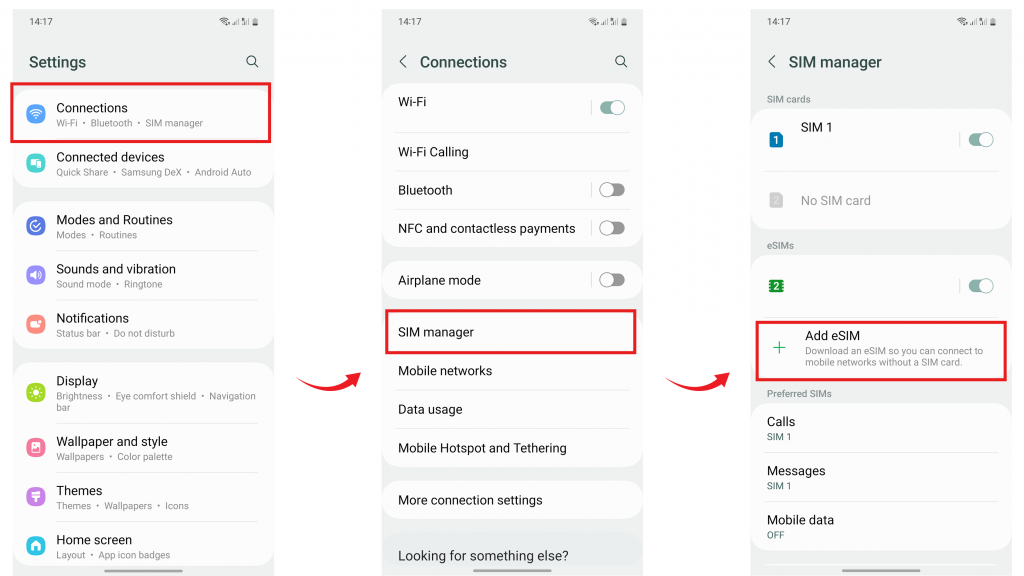
For Samsung Galaxy Devices
- Open the Settings app and tap on Connections.
- Tap on SIM Manager.
- If the "Add eSIM" option is available, your device likely supports eSIMs.
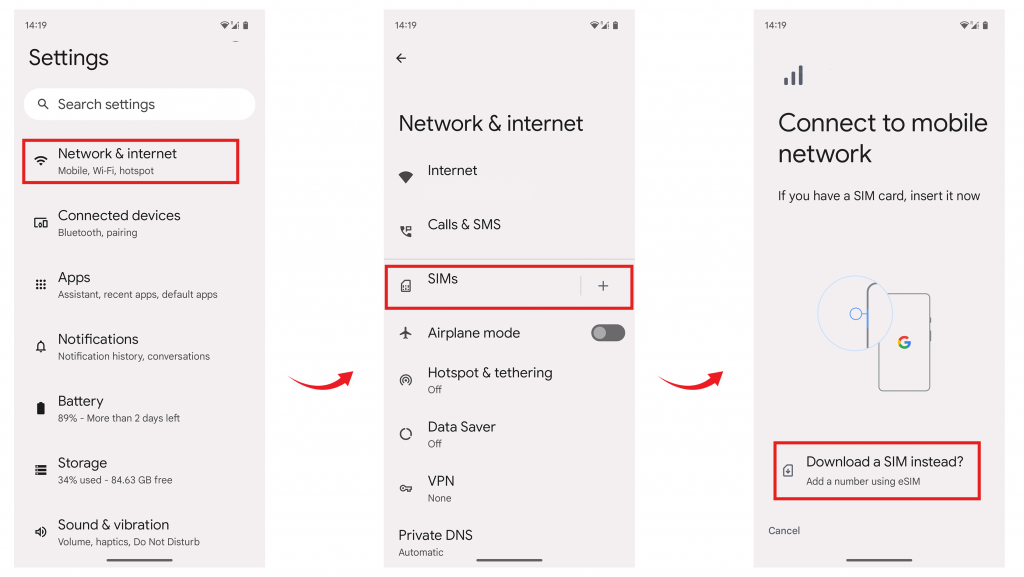
For Google Pixel Devices
- Open the Settings app and tap on Network & Internet.
- Tap the + (plus) icon next to SIMs.
- On the "Connect to mobile network" page, if you see the option "Download a SIM instead?", your device has eSIM capability.
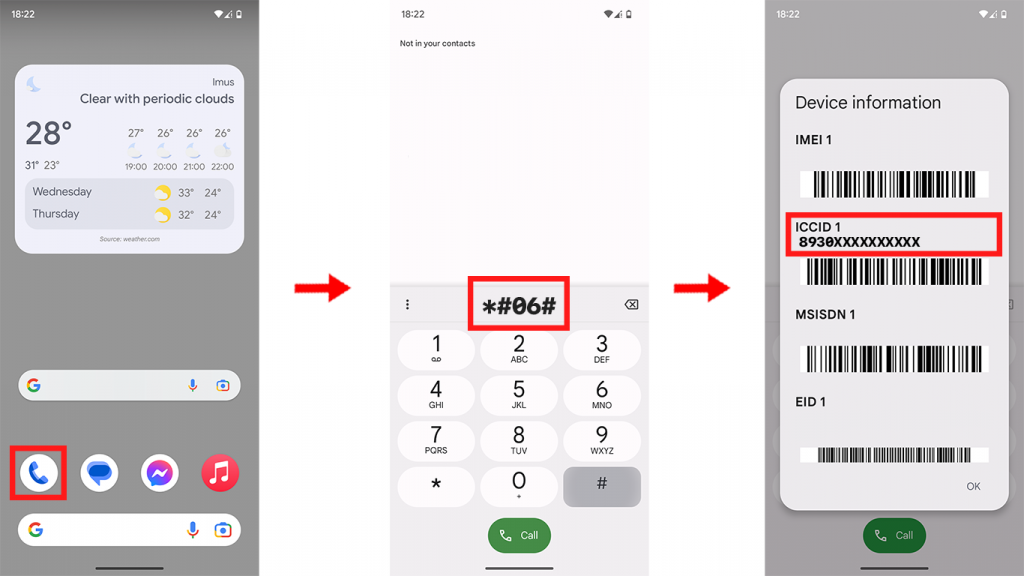
For Other Android Devices (EID Check)
The most technical way to determine if your device has eSIM hardware is to check the EID number:
- Dial *#06# on your phone's dial pad.
- Once you press the call button, if your device is eSIM compatible, you should be able to see a 32-digit EID (Embedded Identity Document) unique identification number.
Carrier Lock Check
To use an eSIM, it is not enough for your device to be compatible; it must also be carrier unlocked. Here is the fastest way to check if your lock is open:
- Remove your phone's current SIM card.
- Replace it with a different SIM card from another carrier.
- You should now see the carrier name at the top of your screen change.
- Now make a call. If the call connects, your phone is unlocked.
Still not sure? If you cannot make a call or receive an "Invalid SIM" warning, your device may be locked to the original carrier. At this point, we recommend contacting your device manufacturer or carrier.
If you have any questions, feel free to contact the eSIMfo support team. We are happy to help!